Match the LIST-I with LIST-II
| LIST-I | LIST-II | ||
|---|---|---|---|
| A. | Top of Worksheet | I. | HOME key |
| B. | One cell down | II. | CTRL + HOME |
| C. | Beginning of the Row | III. | Enter key |
| D. | One cell right | IV. | Tab key |
Choose the correct answer from the options given below:
Answer & explanation
Correct answer: option 2
The correct answer is Option (2) → A-II, B-III, C-I, D-IV
These are the keystrokes for moving around a worksheet.
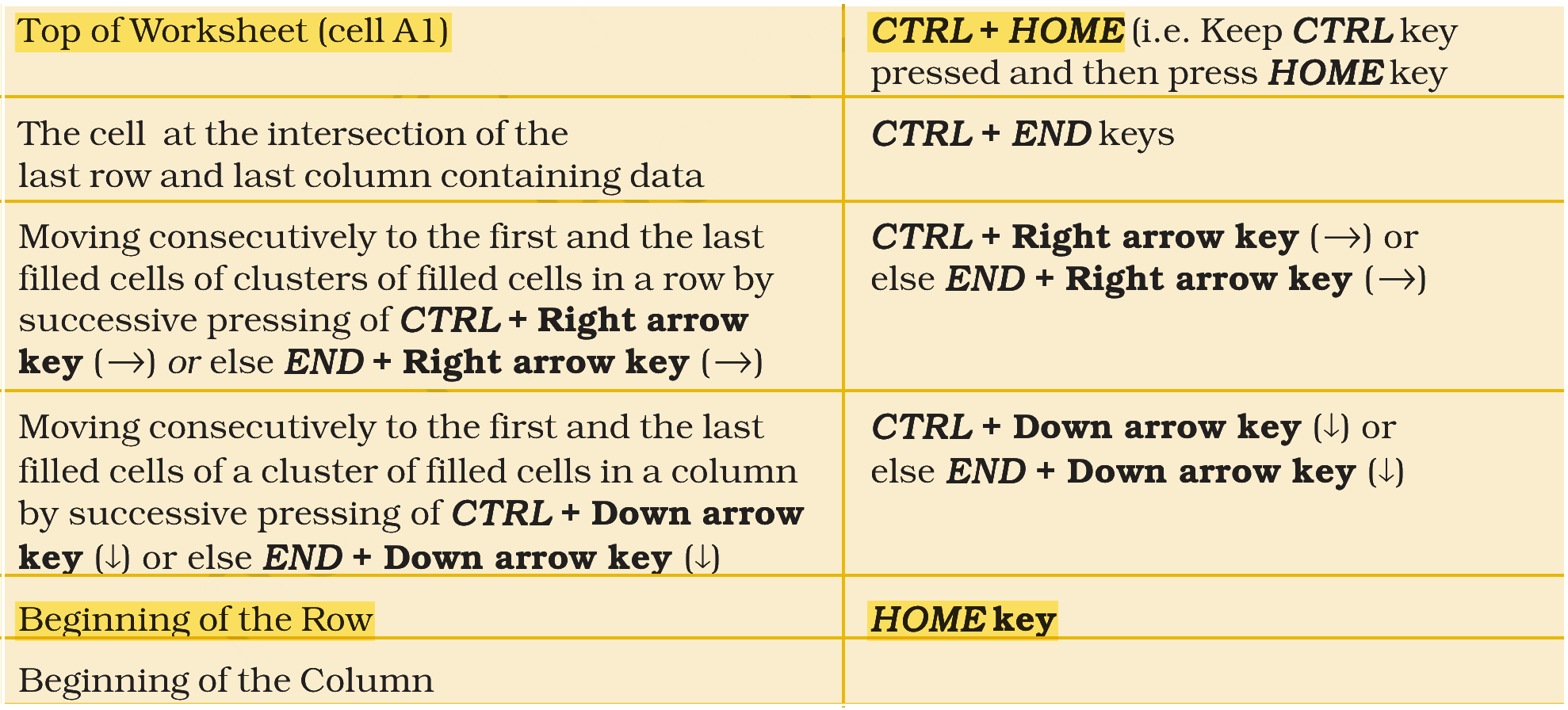
(A) Top of Worksheet — this matches (II) CTRL + HOME. Holding CTRL and pressing HOME takes the cursor to cell A1, the top of the worksheet.
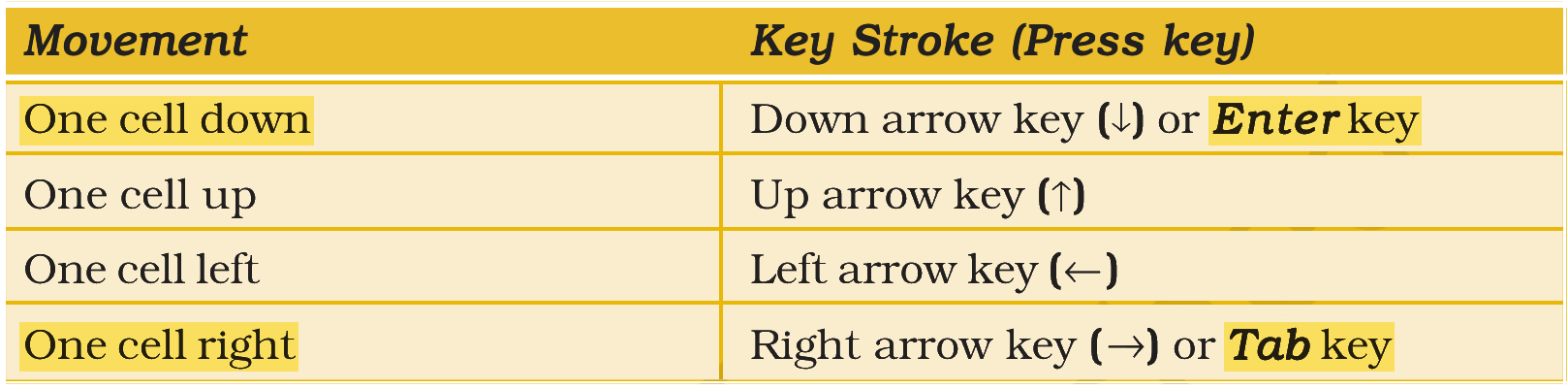
(B) One cell down — this matches (III) Enter key. Pressing Enter completes the entry and moves the cursor one cell down; the down arrow key does the same.
(C) Beginning of the Row — this matches (I) HOME key. HOME alone takes the cursor to the first cell of the current row.
(D) One cell right — this matches (IV) Tab key. Tab moves the cursor one cell to the right; the right arrow key does the same.
NCERT (2026-27 edition):
|